
Inventory
The Inventory (also referred to as "Smart Inventory") provides a visual calendar grid where you can view room availability, manage blocked dates, and set custom pricing.
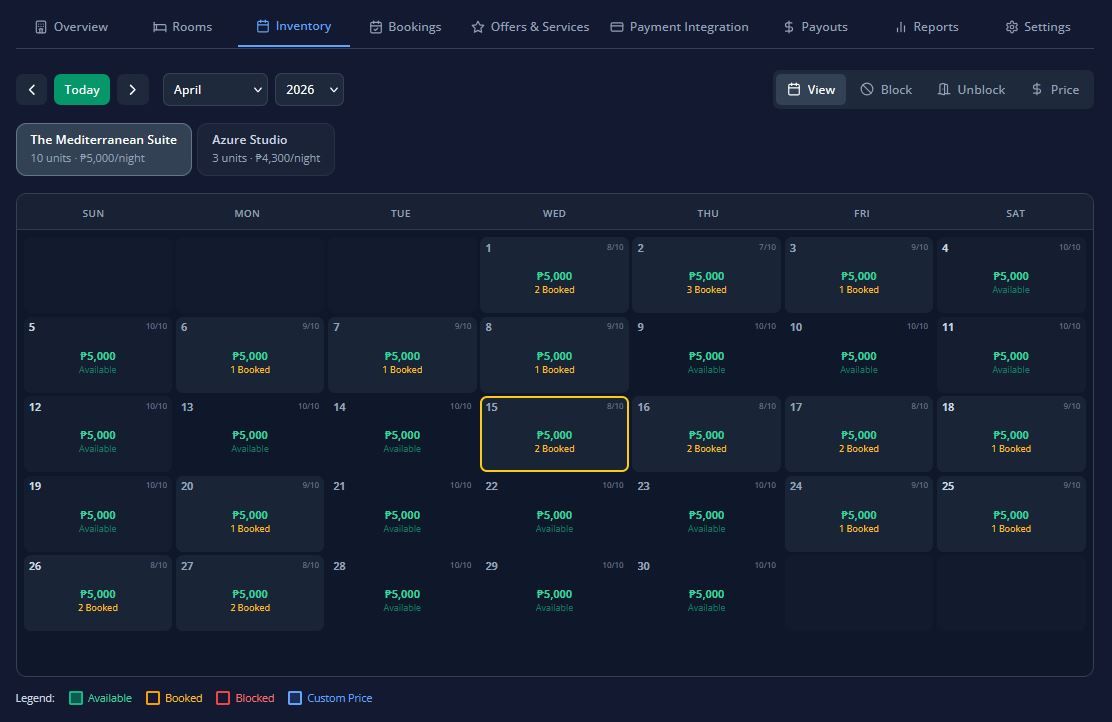
The Inventory tab (also referred to as "Smart Inventory") provides a visual calendar grid where you can view room availability, manage blocked dates, and set custom pricing across different date ranges.
Here is a breakdown of how to read and manage your inventory calendar:
1. Calendar Views & Reading the Grid
The calendar automatically adjusts its visible date range depending on the screen size of the device you are using:
- Mobile: 7 days
- Tablet: 14 days
- Desktop: 30 days
You can easily navigate through different months and years using the calendar controls.
Each cell in the calendar grid represents a specific room type on a specific date. Within each cell, you will see:
- Booking Status: Whether the room is booked, available, or blocked.
- Unit Count: The number of units booked, available, or blocked.
- Custom Price: Any special pricing applied to that date (if different from the base price).
2. Inventory Operations (Tool Modes)
To manage your rooms, you can switch between four distinct tool modes:
- Select Mode: Simply click on a date cell to view the booking details for that room on that specific date.
- Block Mode: Use this to prevent rooms from being booked. You can select a room type and date range, then choose a block type (Maintenance, Fully Booked, or Custom). You can block all units or just a partial number of units, and add an optional text description.
- Unblock Mode: Use this to remove an existing block. You can unblock all units or a specific number of them.
- Price Mode: This lets you set a custom price for a room type on specific dates. You must enter the new price amount and select a Rate Type. If you later delete this custom price, the system will automatically revert the room back to its standard base price.
3. Rate Types & Discounts
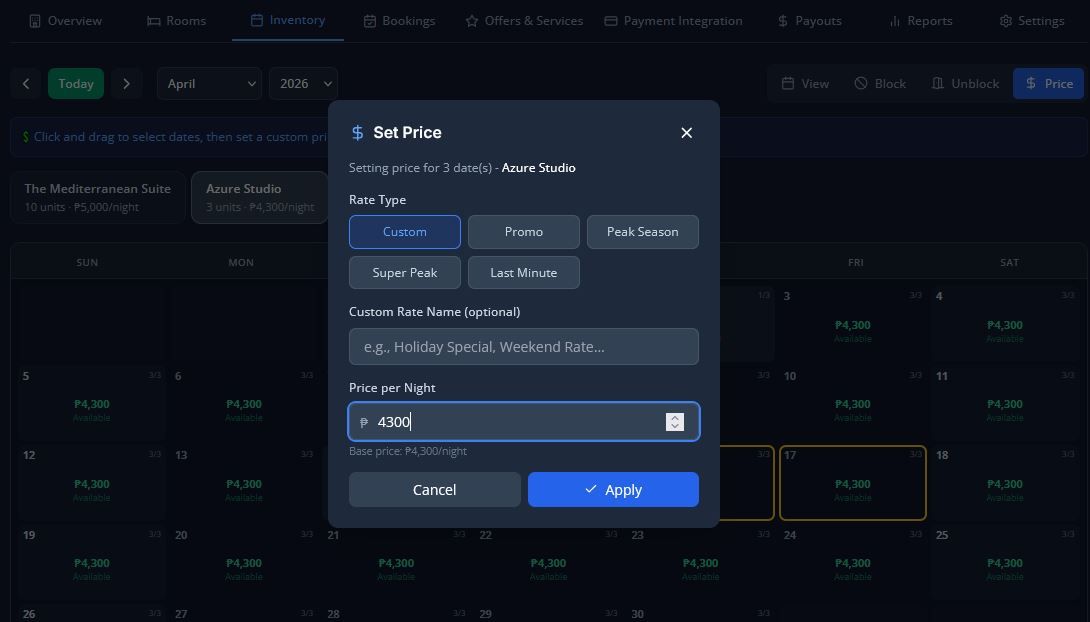
When setting custom prices using Price Mode, you can categorize the rate change using one of the following Rate Types:
- Custom(Requires you to enter a specific Rate Name)
- Promo
- Peak Season
- Super Peak
- Last Minute
Additionally, the Stayfront system supports seasonal rate adjustments (applied to specific dates or ranges) and long-stay discounts, which automatically apply a discount for bookings that exceed a minimum number of nights.