
Offers & Services
The Offers & Services tab is where you manage ways to boost your revenue and enhance the guest experience.
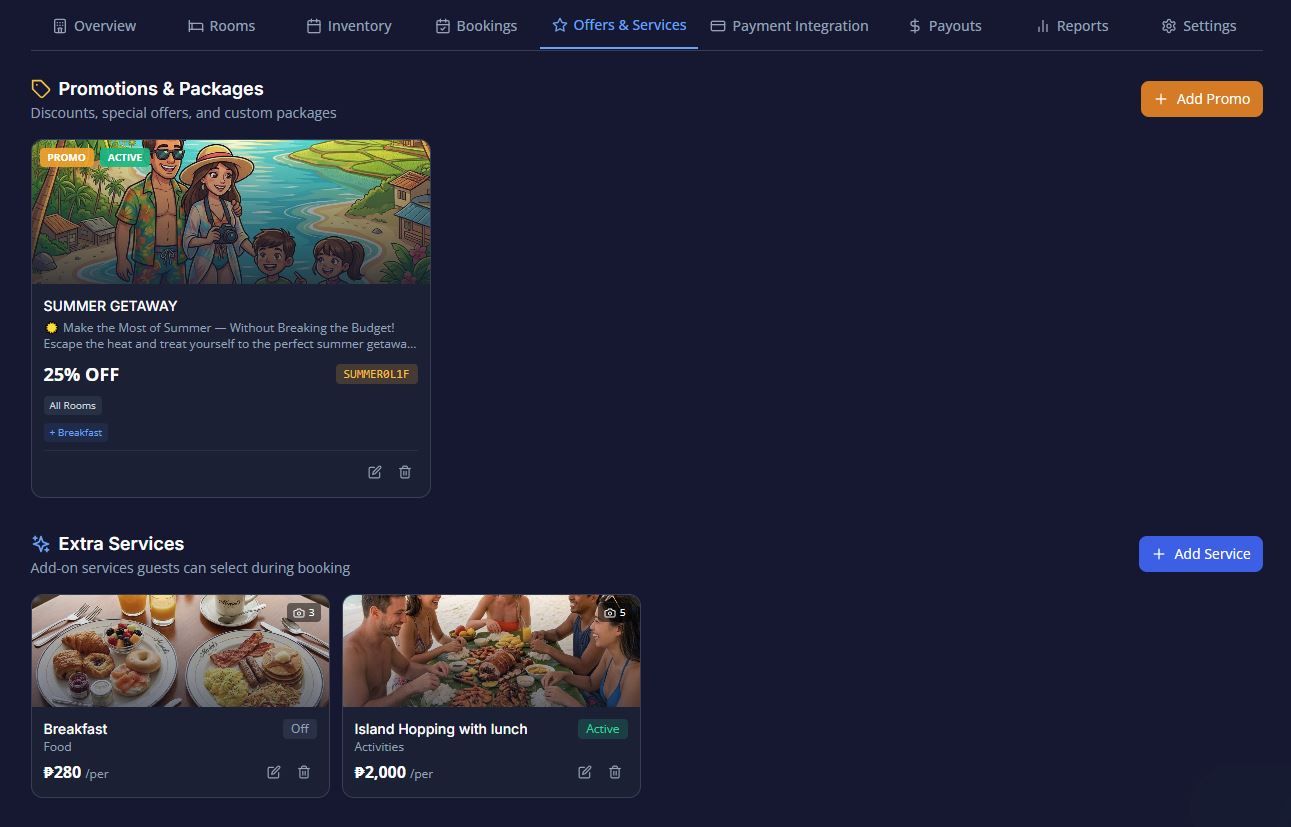
The Offers & Services tab is where you manage ways to boost your revenue and enhance the guest experience. This tab is divided into two main sections: Extra Services (add-ons guests can purchase) and Promotions (special discounts or packages).
1. Promotions & Packages
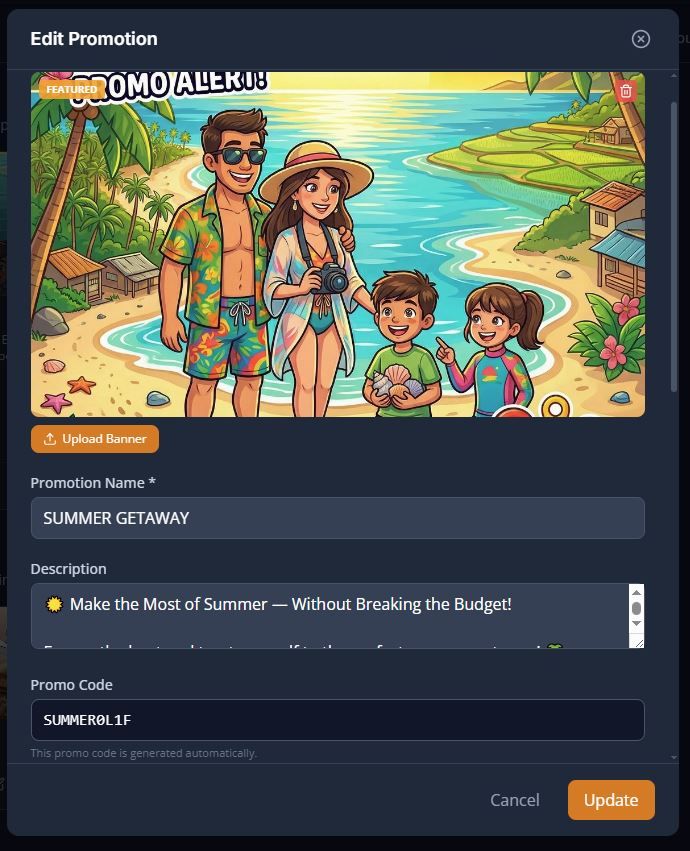
This section allows you to create special offers that automatically apply discounts or bundle deals based on specific booking conditions.When setting up a promotion, you will fill out the following form:
- Promo Banner: Upload an image to visually highlight the promotion to your guests.
- FEATURED: Toggle this on to make the promotion stand out prominently in your booking widget.*Promotion Name ( The title of your offer (e.g., "Weekend Escape Deal").
- Description: A detailed explanation of the perks. Use this space to highlight value, such as complimentary welcome drinks, late check-out, or free high-speed Wi-Fi.
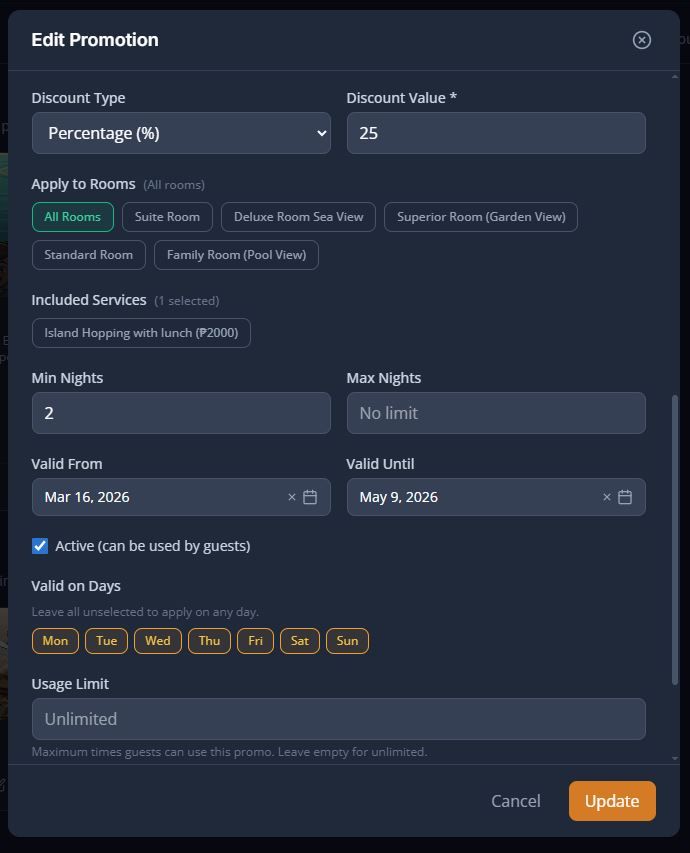
- Promo Code: This code is generated automatically by the system for the promotion.*Discount Type & Discount Value ( Choose how the discount is applied (e.g., a percentage off or a fixed amount) and enter the exact numerical value.
- Apply to Rooms: Select exactly which room types this offer applies to. If left unselected, the system will apply it to All rooms.Included Services: Bundle any of your existing Extra Services into this promotion.
- Min Nights & Max Nights: Require guests to book a minimum length of stay, or cap the maximum length of stay allowed for the discount.
- Valid From & Valid Until: Define the exact date range when this promotion is available.
- Active: Toggle whether this promotion can currently be viewed and used by guests.
- Valid on Days: Restrict the offer to specific days of the week. Leave all unselected to apply the promo on any day.Usage Limit: Set the maximum number of times guests can use this promo across your property. Leave this empty for unlimited uses.
- Terms & Conditions: Add the fine print and specific legal rules or restrictions for the promotion.
2. Extra Services (Add-Ons)
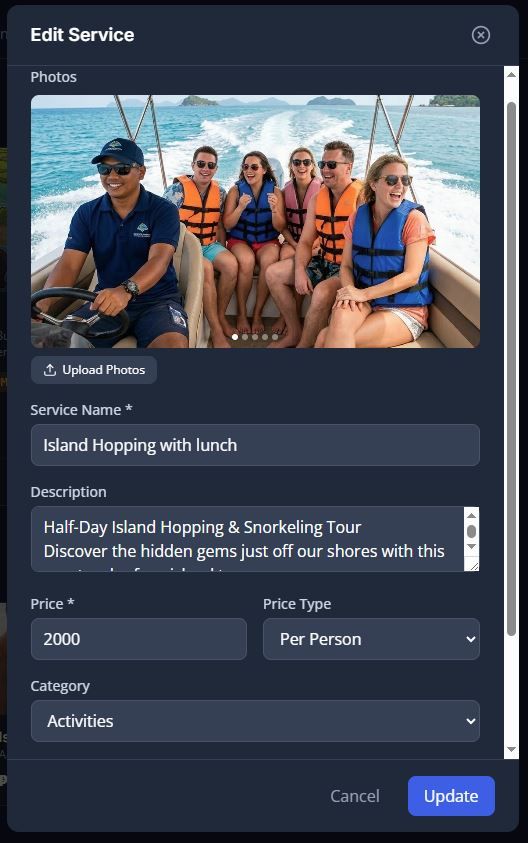
Extra services are supplementary items or activities that guests can select during the booking process, such as an airport transfer, a spa treatment, or a breakfast package.When creating or editing a service, you will configure:
- Basic Info: Set the Service Name, an optional description, and select a visual Icon.
- Category: Group the service into one of five categories: Transport, Food, Wellness, Activities, or General.
- Pricing & Price Type: Enter the exact price and choose how it is calculated. You must select one of the following methods:
- Per Stay: A flat fee charged once.
- Per Night: The fee is multiplied by the number of nights.
- Per Person: The fee is multiplied by the guest count.
- Per Person, Per Night: The fee is multiplied by both guests and nights.
- Per Unit: The fee is multiplied by the quantity of the service selected.
- Availability: Restrict the service to specific days of the week, and toggle the Active status to temporarily hide it from guests.
- Photos: Upload images of the service to display in the widget.