
Payouts
The Payouts tab is your financial dashboard for viewing your withdrawal history and managing the funds generated from your online bookings.
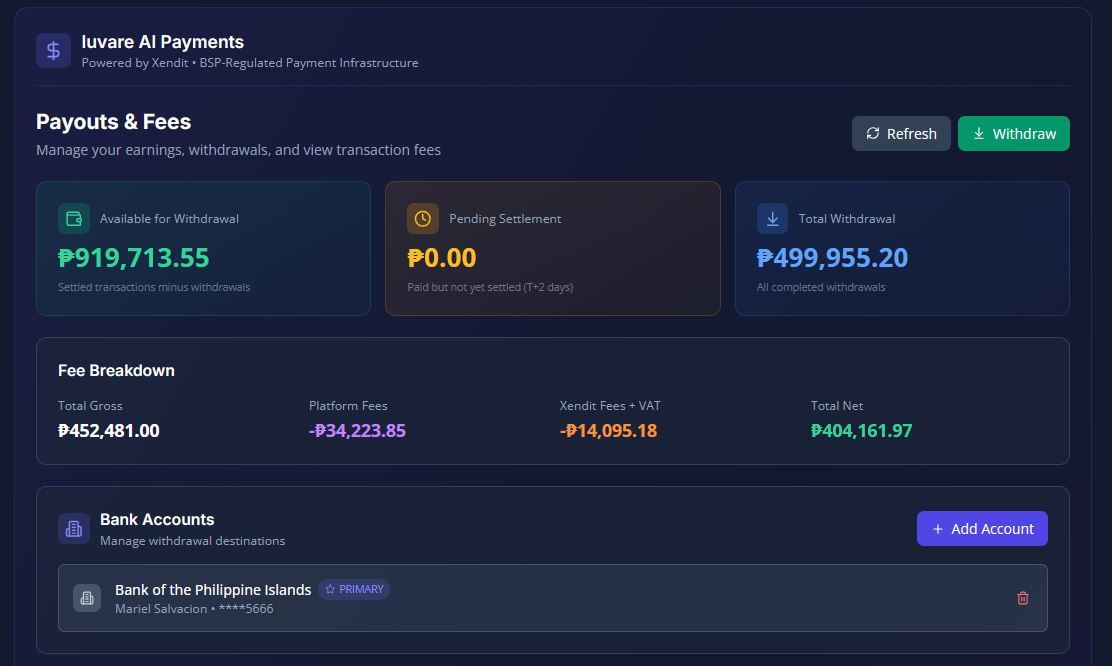
The Payouts tab is your financial dashboard for viewing your withdrawal history and managing the funds generated from your online bookings.
Here is a breakdown of how to track your earnings, manage your bank accounts, and process withdrawals:
1. Balance Display
At the top of the Payouts tab, you will find a clear summary of your funds:
- Available for Withdrawal: This is the money currently held in your Xendit sub-account that is ready to be transferred to your bank.
- Pending Settlement: These are funds from recently paid online bookings that Xendit has received but not yet fully settled. The estimated settlement time varies depending on the payment method used by the guest.
- Total Withdrawn: A cumulative total of all the money you have successfully withdrawn to date.
2. Bank Account ManagementBefore you can withdraw your available funds, you must register a destination bank account. When adding a new bank account, you will provide:
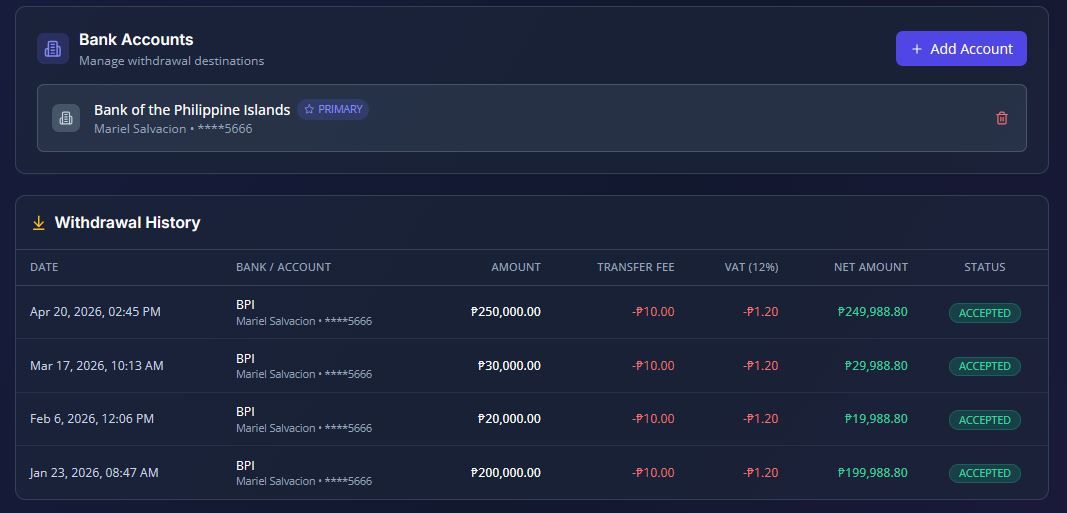
- The Bank code and Bank name.
- The Account number.
- The Account holder name.
- You can also designate a specific account as your primary/default account for receiving payouts.
3. Withdrawal Fees
When you request a payout, please note that a standard flat fee applies to the transaction. Each withdrawal (also known as a disbursement) costs ₱11.20 in total. This consists of a ₱10.00 disbursement fee plus ₱1.20 VAT, which is automatically deducted from your total withdrawal amount.
4. Payout Statuses & Settlement Tracking
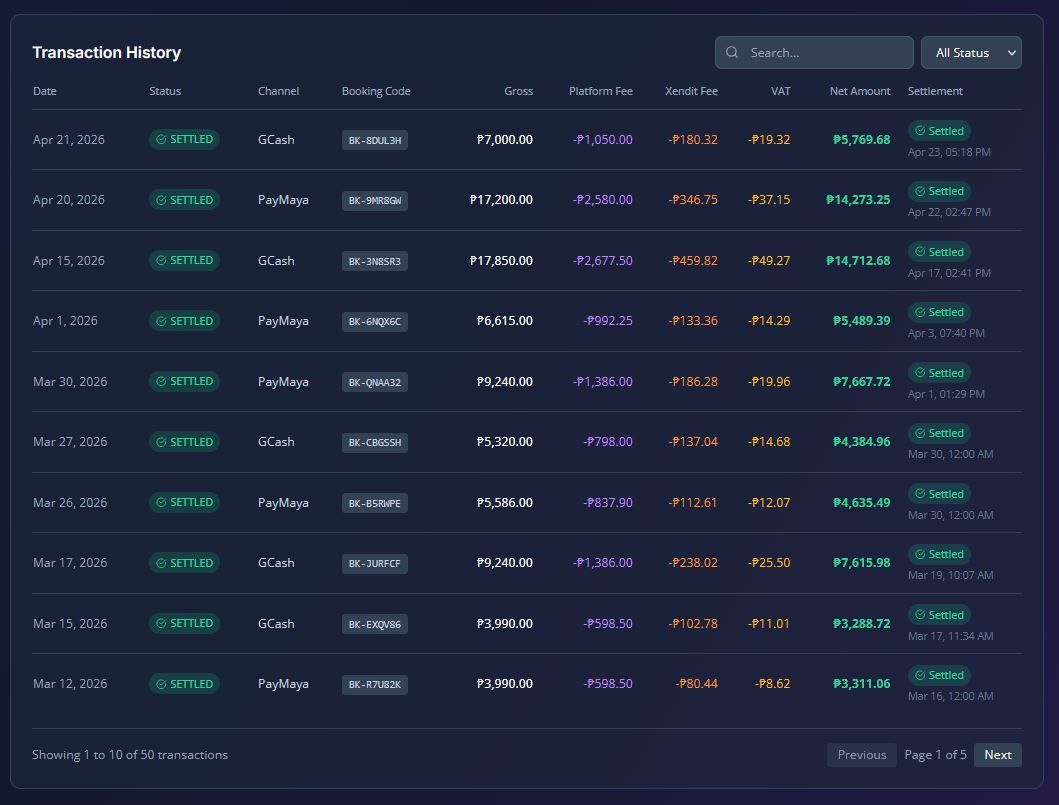
Once you initiate a withdrawal, you can track its progress through the following statuses:
- PENDING: Your withdrawal request has been successfully submitted.
- ACCEPTED: The bank transfer has been initiated.
- COMPLETED: The transfer has been completed.
- SETTLED: The funds are fully settled in your bank account.
- FAILED: The transfer encountered an error and failed.
Additionally, you can view the settlement details of individual booking transactions. For SETTLED transactions, you will see the exact settlement date, while for PAID (pending) transactions, the system provides an estimated settlement date.